
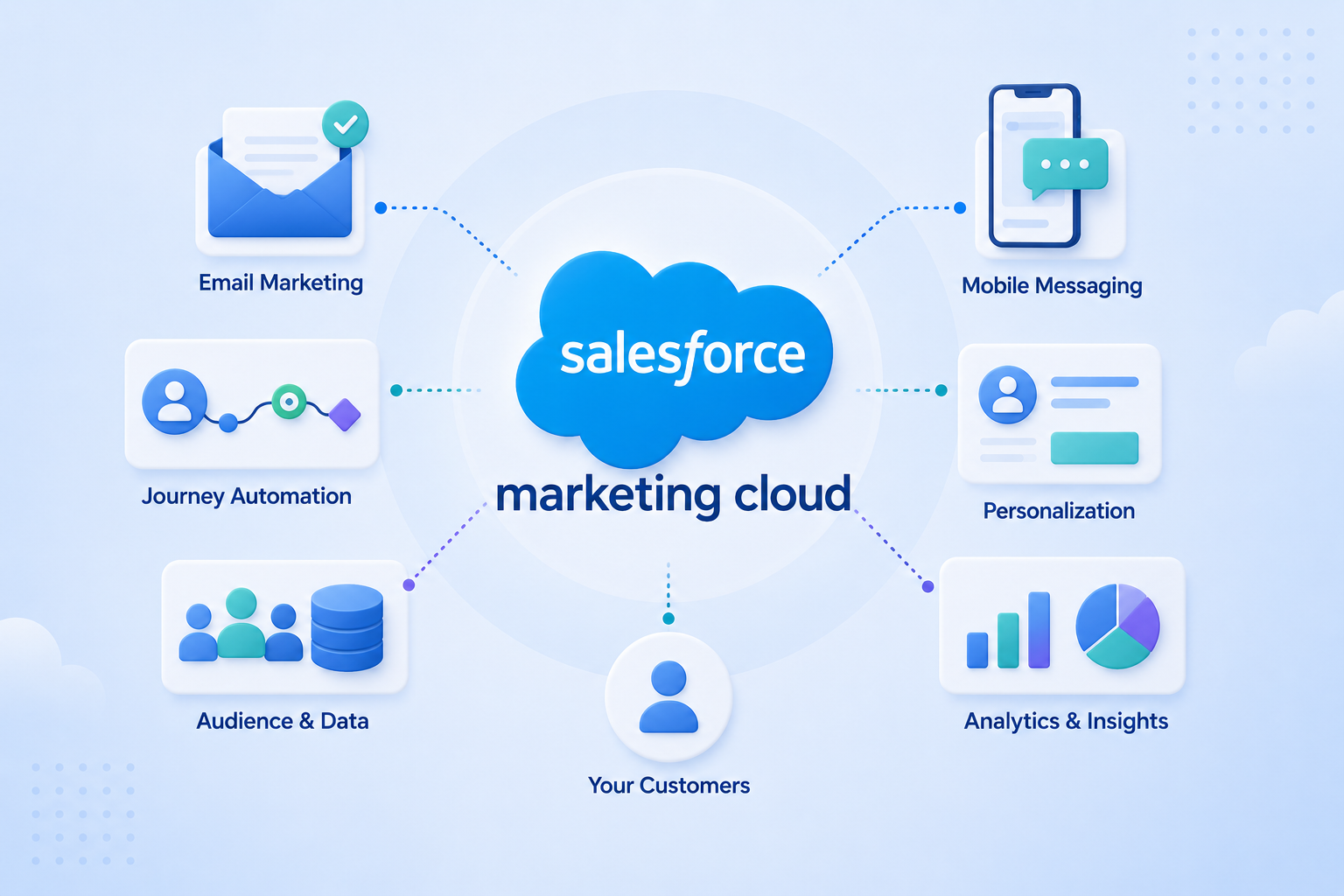
Salesforce Marketing Cloud (SFMC) is an enterprise marketing platform that helps organisations plan, execute, and measure customer communications across email, SMS, push notifications, and the web. It is part of the Salesforce ecosystem but operates as a standalone platform – meaning you do not need Sales Cloud or Service Cloud to use it.
At its core, SFMC is designed for organisations that need to manage high volumes of customer data, run complex multi-channel campaigns, and personalise communications at scale.
What SFMC Is Made Up Of
SFMC is not a single tool. It is a suite of Studios and Builders, each covering a different part of the marketing workflow. (Salesforce official product documentation)
Studios handle channel execution:
- Email Studio: build, test, and send email campaigns to segmented audiences, with personalisation and dynamic content powered by AMPscript, dynamic content blocks, and subscriber attribute lookups
- Mobile Studio: manage SMS, push notifications, and group messaging, with mobile app integration supported via the Marketing Cloud MobilePush SDK and REST API
- Web Studio: create and host web-based content via Cloud Pages, including landing pages, microsites, subscription and preference centres, smart capture forms, and hosted email versions
Builders handle strategy, data, and measurement:
- Journey Builder: design, automate, and optimise customer journeys across channels, with entry sources including audience segments, scheduled data extensions, and real-time API or event triggers; supports multi-step branching logic, goal tracking, and Einstein-powered send time optimisation
- Content Builder: centralised library for email templates, images, and content blocks
- Automation Studio: schedule and sequence data imports, SQL-based data transforms, file transfers via FTP/SFTP, and send activities into repeatable automated workflows
- Contact Builder: define and manage the SFMC data model, including contact relationships, attribute groups, linked data extensions, and population structure; also handles Marketing Cloud Connect configuration to sync contacts, leads, and campaign data with Salesforce Sales Cloud or Service Cloud
- Audience Builder: build and manage contact segments from data extensions and attributes defined in Contact Builder
- Analytics Builder: reporting on campaign performance, subscriber engagement, and journey activity
Marketing Cloud Personalization (formerly Interaction Studio) is a separate add-on product within the SFMC ecosystem. It operates with its own interface and data architecture, and is licensed independently from the core Studios and Builders. It functions as a real-time personalisation engine – tracking visitor behaviour across web, mobile, and email, then adapting content, recommendations, and offers at the individual level without manual segmentation. (Salesforce Help)
Note: Social Studio was fully retired in November 2024. Advertising Studio subscriptions are no longer renewable as of August 2026, with Salesforce recommending Data Cloud Ad Audiences as the replacement for paid media activation.
Most enterprise implementations use a subset of Studios and Builders. Email Studio and Journey Builder tend to be the starting point; additional components are licensed and activated based on channel strategy.
Where SFMC Fits in the Salesforce Ecosystem
Salesforce offers several marketing products, and the naming can cause confusion. Here is how they differ:
Salesforce Marketing Cloud (formerly ExactTarget, acquired by Salesforce in 2013) : the platform covered in this article. Built for B2C marketing at volume. Handles email, SMS, push, and customer journey automation.
Marketing Cloud Account Engagement (formerly Pardot) : a separate product designed for B2B marketing automation. Better suited for lead nurturing, scoring, and sales-aligned campaigns with smaller contact volumes.
Marketing Cloud Growth / Advanced: newer editions introduced for small and mid-market businesses running on the core Salesforce platform. Different architecture from classic SFMC.
If someone refers to “Marketing Cloud” without specifying, they are most likely referring to the classic SFMC platform – particularly in enterprise and B2C contexts.
SFMC connects to Sales Cloud and Service Cloud through Marketing Cloud Connect, a native integration that syncs contacts, leads, and campaign data between platforms. (Marketing Cloud Connect documentation) This integration is a significant reason why enterprise Salesforce customers choose SFMC over third-party alternatives – it keeps customer data consistent across sales, service, and marketing without custom middleware.
What SFMC Is Designed to Handle
SFMC is built for marketing operations that involve:
- Large contact databases: hundreds of thousands to tens of millions of subscribers
- Multi-channel orchestration: coordinating email, SMS, and push within a single customer journey
- Data-driven segmentation: building audiences from CRM data, behavioural data, and external sources
- Triggered and automated communication: messages sent based on customer actions, dates, or data changes rather than manual campaign sends
- Personalisation at scale: dynamic content and AMPscript* logic that adapts message content per recipient, with deeper real-time behavioural personalisation available through Marketing Cloud Personalization (MCP)* – a separately licensed add-on
Ad hoc sends are possible, but the platform is architected around data structures – particularly data extensions* – which require data to be properly consolidated and validated before sending to avoid breaking contact records or triggering unintended journey entries.
Who Typically Uses SFMC
SFMC is most common in enterprise and mid-market organisations across industries where customer communication volume is high and personalisation requirements are complex.
Common sectors include:
- Financial services: banks, insurers, and wealth management firms running regulatory, transactional, and lifecycle communications; common use cases include onboarding journeys, product cross-sell, and statement or alert notifications
- Retail and e-commerce: post-purchase journeys, loyalty programs, cart abandonment sequences, and personalised product recommendations based on browse and purchase behaviour
- Healthcare and pharma: patient or HCP communications with strict consent and compliance requirements; use cases include appointment reminders, adherence programs, and segmented HCP outreach
- Telecommunications: high-volume billing, retention, and upsell campaigns across multiple products; often paired with real-time event triggers from billing or usage systems
The platform is also common in organisations that have standardised on Salesforce CRM and want marketing data to stay within the same ecosystem rather than being managed in a separate tool.
How SFMC Is Licenced
SFMC is sold through Salesforce directly or via authorised resellers. Pricing is not published in full detail publicly — for current edition pricing, refer to the Salesforce Marketing Cloud pricing page. Costs vary significantly based on:
- Which Studios and Builders are included
- Contact volume (typically measured by the number of contacts in your system, not the number of emails sent)
- Super Message* allocation for SMS and push
- Contract length and negotiated terms
Most organisations licence SFMC at the enterprise tier. If you are evaluating the platform, expect a formal scoping and quoting process rather than a self-serve signup.
What to Consider Before Implementation
SFMC is a capable platform, but it requires deliberate setup. Organisations that get the most from it tend to have:
- A clear picture of their contact data and where it lives
- Defined use cases for automation and personalisation – not just bulk sending
- Internal resource or external support to manage the platform on an ongoing basis
- A plan for how SFMC will connect to existing CRM or data infrastructure
Implementation timelines vary. A basic email-sending configuration can be live within weeks. A full multi-channel setup with CRM integration and journey automation typically takes several months.
Going Deeper
If you are evaluating SFMC or working through how to get more from an existing implementation, these articles cover common decision points:
- Migrating to Salesforce Marketing Cloud: What Nobody Tells You Before You Start
- Salesforce Marketing Cloud Best Practices That Actually Work
- Why Your Salesforce Marketing Cloud Investment Isn’t Paying Off (And How to Fix It)
Have specific questions about whether SFMC fits your organisation’s needs? Talk to our team.
Glossary
AMPscript: Salesforce Marketing Cloud’s proprietary scripting language, used to personalise email content at the individual subscriber level by pulling values from data extensions or system attributes.
Data extension: a table in SFMC used to store subscriber data or campaign-related information. Unlike a standard list, a data extension can have a custom schema and supports relational data structures.
Marketing Cloud Connect: a native integration package that links SFMC to Sales Cloud or Service Cloud, enabling contact sync, campaign association, and cross-platform reporting.
Marketing Cloud Personalization (MCP): formerly Interaction Studio. A real-time personalisation and interaction management tool within SFMC that captures behavioural data across web, mobile, and email channels, then uses machine learning to deliver individualised content, product recommendations, and next-best-action decisions at the moment of engagement.
Super Message: a unit of measurement Salesforce uses to licence non-email channels in SFMC. Each SMS, push notification, or line-item ad sync consumes a defined number of Super Messages.