

Marketing automation should make your team faster, not slower. But platforms like Salesforce Marketing Cloud (SFMC) accumulate complexity over time: journeys built by people who have since left, data extensions with no clear owner, automations that fail quietly, and reporting that no longer answers the questions stakeholders actually ask.
The problems rarely appear all at once. They compound gradually until launching a campaign takes twice as long as it should, or a deliverability issue surfaces that traces back to list hygiene decisions made two years ago.
Here are ten signs that your marketing automation environment needs a structured review.
1. Campaigns Take Longer to Launch Than They Used To
A campaign that once took a day now takes a week. Your team spends time on things that should be straightforward:
- Finding the right asset across inconsistent folder structures
- Untangling broken automations before the journey can go live
- Re-testing templates that were never properly documented
- Waiting on technical support for changes that used to be self-serve
Slow campaign delivery is rarely a workload problem. It is usually a platform organisation and documentation problem, the kind that accumulates quietly and only becomes visible when timelines start slipping.
2. Nobody Can Fully Explain the Existing Journeys
Your Journey Builder canvas has grown over years. Common questions start surfacing:
- Why does this decision split exist?
- Which automation feeds this journey entry source?
- Can we safely change this email without breaking something else?
- Who built this, and what were they trying to do?
If understanding your own platform requires institutional memory rather than documentation, you have a governance problem. Journeys that cannot be explained cannot be safely modified.
3. Your Folder Structure Has No Logic
Assets are scattered across folders with inconsistent names. Signs include:
- Multiple versions of the same email template in different locations
- Content blocks duplicated rather than reused across campaigns
- Folder names that only made sense to the person who created them
- No clear way to tell which assets are current and which are stale
Poor organization in Content Builder and Automation Studio wastes hours every month and increases the risk of sending the wrong asset.
4. Data Extensions Keep Multiplying
Every new campaign creates a new data extension*. Over time, the environment becomes unmanageable:
- Nobody knows which data extensions are still active
- Automations reference data extensions that may have been renamed or deleted
- The naming convention, if there was one, has long since broken down
- Duplicate data structures exist for the same underlying data
Data extension sprawl is one of the most common signs of an SFMC environment that has grown without governance. An automation that references a deleted data extension fails silently, and the data stops flowing.
5. Automation Studio Jobs Are Failing Without Anyone Noticing
Automation Studio* has a notification feature, but it requires manual configuration and is not enabled by default. (Salesforce Help) When notifications are not set up, job failures go undetected:
- Data does not get processed
- Journey entry sources stop refreshing
- Audiences become stale without anyone realising
- Sends go out based on outdated data
Nobody knows until a send goes out to the wrong audience or a stakeholder asks why a journey has had no entries this week. Silent failures in Automation Studio are a compounding problem. Each failed job creates a gap that affects downstream sends and reporting.
6. The Same Contacts Are Receiving Messages from Multiple Journeys Simultaneously
Without suppression logic or journey priority rules, contacts fall into uncoordinated communication patterns:
- An onboarding journey, a re-engagement sequence, and a promotional campaign running in parallel
- No logic to pause one journey when a contact enters another
- No frequency cap across channels
- No visibility into the total volume a single contact receives in a week
Over-communication damages engagement rates and increases unsubscribe risk. It is a symptom of journeys being built in isolation rather than as part of a coordinated contact strategy.
7. Personalization Fields Are Showing Fallback Values or Rendering Blank
Broken personalization is often the most visible sign of a data pipeline problem. Common symptoms include:
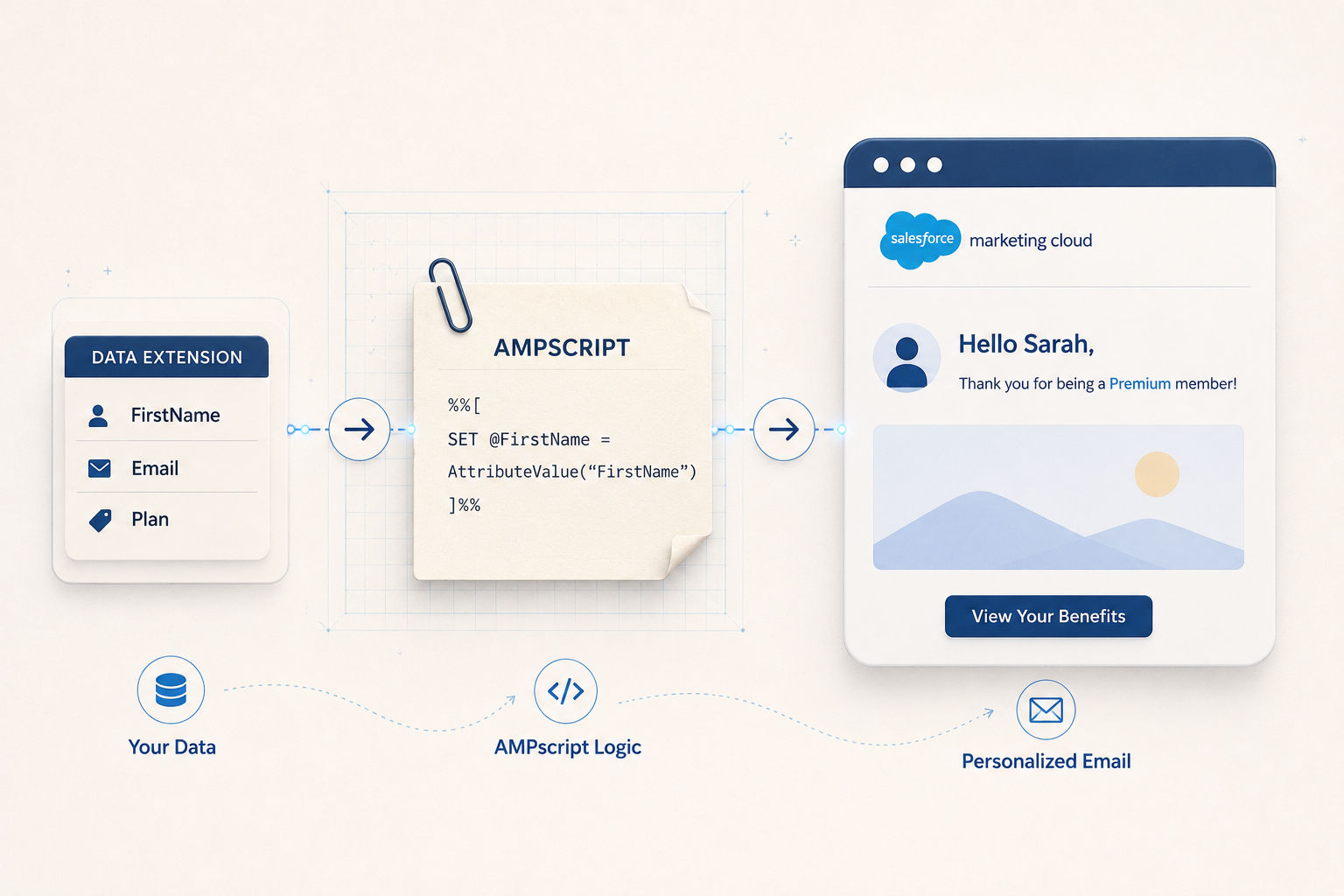
- AMPscript* lookups returning default values because the expected field is empty
- Dynamic content blocks falling back to generic versions
- Subscriber attributes not syncing correctly from Salesforce CRM via Marketing Cloud Connect*
- Emails addressed to “Dear Valued Customer” instead of the subscriber’s name
Broken personalization is more damaging than no personalization. An audit identifies where the data pipeline breaks and what needs to be fixed upstream.
8. You Cannot Explain a Spike in Unsubscribes or Bounces
Your unsubscribe rate increased last month, but you cannot trace it to a specific send, journey, or segment. Other signs:
- Bounce rates have been climbing with no suppression process in place
- Hard bounces are not being removed before the next send
- No tracking at the journey or segment level, only account-wide metrics
- Complaint rates are rising but the source is unclear
Without granular tracking and a defined list hygiene* process, deliverability problems accumulate. Once sender reputation is damaged, rebuilding it takes time and a disciplined warming process.
9. Your IP or Domain Has Been Flagged
This is the most visible deliverability sign, but rarely the first. Flagging by an ISP is the result of accumulated issues:
- High bounce rates from unclean contact lists
- Spam complaints from disengaged or incorrectly targeted audiences
- A sudden volume spike on a shared or under-warmed IP
- Missing or misconfigured authentication records (SPF, DKIM, DMARC)
If your emails are landing in spam folders or being blocked by major providers, an audit needs to cover not just technical configuration but the sending practices and list hygiene processes that contributed to the reputation damage.
10. Your Team Spends More Time Maintaining Than Delivering
The clearest warning sign is not technical. It is when your SFMC specialists spend most of their time on maintenance rather than delivery:
- Fixing broken automations instead of building new journeys
- Updating stale assets instead of improving customer experiences
- Troubleshooting data issues instead of running experiments
- Documenting what exists instead of designing what is next
Marketing automation is supposed to create capacity. When it consumes it instead, the platform has become a liability. That shift rarely happens overnight. It is the result of technical debt building up across data structures, journey architecture, and platform governance over months or years.
What a Marketing Automation Audit Should Cover
An audit is not a cleanup exercise. It is a structured review that produces a clear picture of what is working, what is broken, and what needs to change. A thorough SFMC audit covers:
- Journey architecture: active journeys, entry sources, decision logic, goal tracking, and exit criteria
- Automation Studio health: job status, failure history, SQL query performance, and dependency mapping
- Data model: data extension inventory, naming conventions, Contact Builder* configuration, and send relationships
- List hygiene: bounce management, suppression lists, sunset policy*, and engagement-based segmentation
- Deliverability: IP and domain reputation, sending patterns, authentication records (SPF, DKIM, DMARC)
- Content and asset organization: folder structure, template versioning, content block reuse
- Reporting: whether current tracking answers actual business questions or only surface-level engagement metrics
- Governance: documentation, user permissions, naming conventions, and change management process
The output of an audit is a prioritized action plan, not a list of everything that could be improved. The goal is to make future campaign delivery faster, safer, and more predictable.
If several of the signs above describe your current environment, a structured audit is a practical next step. Talk to our team about what a review of your SFMC setup would involve.
Related Reading
- Why Your Salesforce Marketing Cloud Investment Isn’t Paying Off (And How to Fix It)
- Salesforce Marketing Cloud Best Practices That Actually Work
- What Is Salesforce Marketing Cloud?
Glossary
AMPscript: Salesforce Marketing Cloud’s proprietary scripting language used to personalise email and landing page content at the individual level by pulling values from data extensions or system attributes.
Automation Studio: a workflow tool in SFMC used to schedule and sequence backend data activities, including SQL queries, file transfers, and data imports. Automation Studio has a notification feature for job failures, but it requires manual configuration and is not enabled by default.
Contact Builder: the SFMC tool used to define and manage the contact data model, including relationships between data extensions, attribute groups, and the All Contacts record.
Data extension: a table in SFMC used to store subscriber data or campaign-related information. Unlike a standard list, a data extension can have a custom schema and supports relational data structures.
List hygiene: the practice of regularly removing or suppressing invalid, bounced, or disengaged contacts from sending audiences to protect deliverability and sender reputation.
Marketing Cloud Connect: a native integration that syncs contacts, leads, and campaign data between SFMC and Salesforce Sales Cloud or Service Cloud.
Sunset policy: a defined process for suppressing or removing contacts who have not engaged with communications over a specified period, typically 90 to 180 days. Sunset policies protect sender reputation by reducing sends to disengaged audiences.