
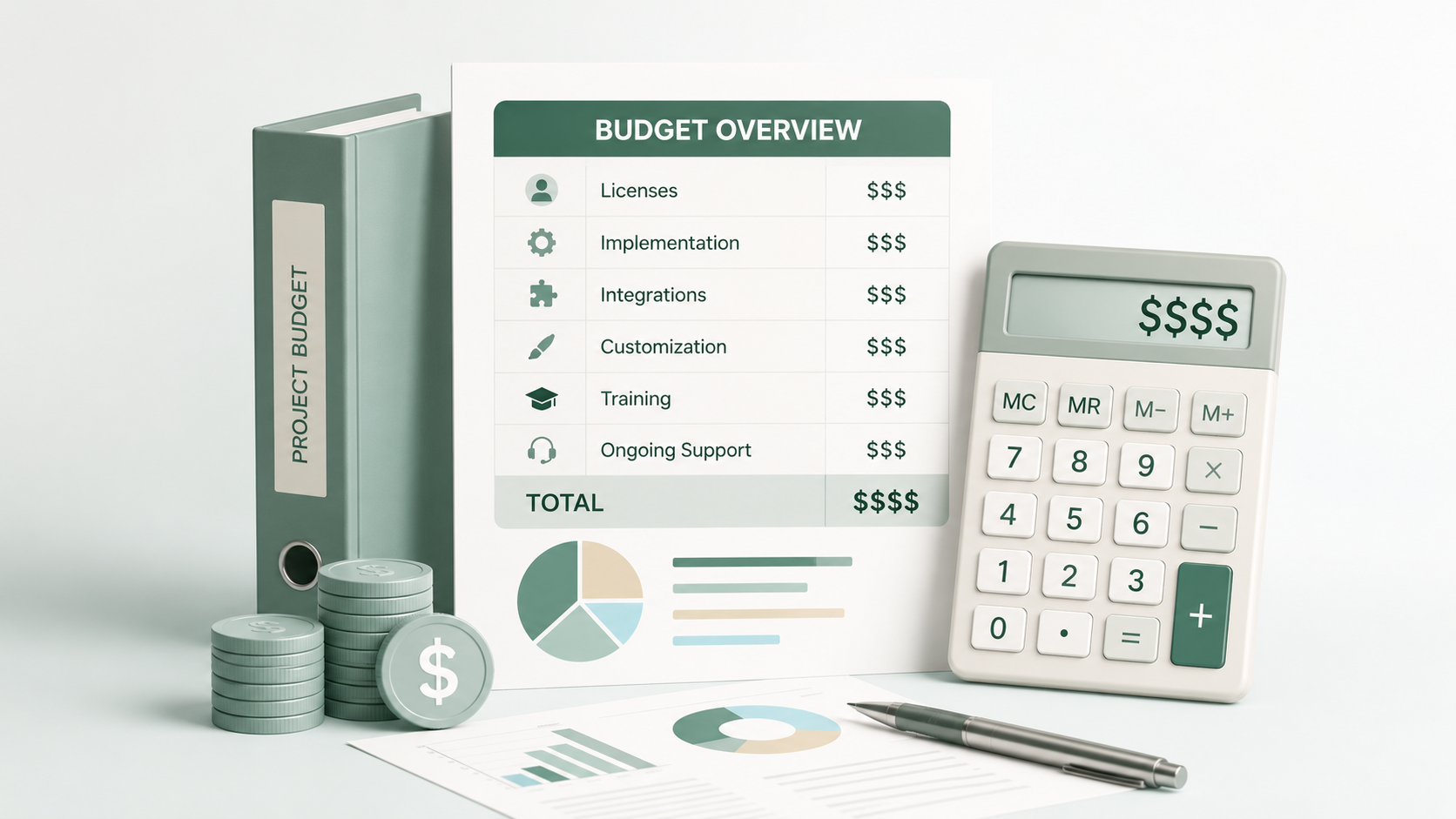
The most common answer to “how much does Salesforce Marketing Cloud cost?” is: it depends. That is not evasion. It is accurate. SFMC is not a single product with a fixed price. It is a suite of components, licensed by volume and channel, implemented at varying scope and complexity, and operated by teams of different sizes and capabilities.
If you budget based on the license cost alone, you will probably end up paying two to three times more once you include implementation, SMS credits, contact volume, and add-ons.
This article breaks down every cost component so you can build a realistic budget, not just a licence estimate.
Why SFMC Implementation Costs Vary So Much
Five variables drive most of the cost difference between implementations:
- Scope: email-only is significantly less complex and less expensive than a full multi-channel deployment including SMS, push, and paid media activation
- Data readiness: clean, structured data in a single source of record shortens timelines; migrating from a legacy platform with inconsistent records adds cost
- Integration requirements: a standalone SFMC instance is simpler than one connected to Salesforce CRM via Marketing Cloud Connect*, Data Cloud, or external data warehouses
- Resource model: using an external implementation partner adds direct cost but typically reduces timeline and rework risk compared to an internal team learning the platform while building on it
- Timeline: a phased rollout distributes cost over time; a single go-live concentrates it
None of these variables are fixed until scope is defined. That is why any vendor quoting a number before asking about your environment is guessing.
Component 1: Licensing
SFMC licensing is not a single line item. The cost depends on which product family you are buying, which channels you need, and what contact volume you are licensing.
Marketing Cloud Next (published pricing): Marketing Cloud Next Growth Edition starts at $1,500 per org per month. Marketing Cloud Next Advanced Edition starts at $3,250 per org per month. These are published starting prices as of mid-2026 and are subject to change. (Salesforce Pricing)
Marketing Cloud Engagement (quote-based): This is the classic SFMC platform. Pricing is not published and is negotiated directly with Salesforce or an authorised reseller. The cost depends on contact volume, which Studios and Builders are included, and SMS Super Message* allocation.
Additional licensing to account for:
- SMS and push channels are licensed separately via Super Messages, billed by volume
- Marketing Cloud Personalization (MCP)* is a separately licensed add-on
- Data Cloud integration requires its own license
- Einstein Engagement Frequency and Engagement Scoring are available in Marketing Cloud Advanced Edition only, not included in all SFMC accounts
Annual contracts are standard. Discounts are negotiated based on contract length and total deal size, not listed publicly.
Component 2: Implementation Services
If you are using an external partner for implementation, this is typically the largest single cost after licensing.
What implementation services cover:
- Platform configuration and Setup
- Data model design in Contact Builder*
- Data extension schema and import workflow build
- Email template and component library build
- Journey Builder configuration and testing
- Automation Studio workflow setup
- CRM integration via Marketing Cloud Connect (if applicable)
- UAT support and go-live assistance
- Handover documentation and team training
What implementation services do not cover:
- Ongoing campaign operations after go-live
- Content creation (copywriting, design)
- Data cleansing of your source data before migration
Rough scope ranges (external partner, 2026):
| Scope | Indicative range |
|---|---|
| Basic email setup (Email Studio, Automation Studio, no CRM integration) | $15,000 to $40,000 |
| Multi-channel (adds Journey Builder, Mobile Studio, Contact Builder) | $40,000 to $100,000 |
| Full enterprise (adds CRM integration, data migration, MCP, multi-BU) | $100,000 to $300,000+ |
Small to medium-sized businesses can expect implementation costs to start from $5,000 to $20,000, while larger enterprises with more intricate requirements might face implementation fees exceeding $100,000.
These ranges are indicative. Actual quotes vary significantly based on partner day rates, geography, and project complexity. Get at least two to three scoped quotes before committing.
How to Evaluate and Budget for an Implementation Partner
Partner costs vary as much as implementation scope. Understanding what drives the difference helps you compare quotes meaningfully.
Engagement model:
- Fixed-scope: a defined deliverable list with a fixed price. More predictable for budgeting, but scope changes generate change requests that add cost. Best when requirements are well-defined before the project starts
- Time and materials (day rate): billed by actual hours worked. More flexible for evolving scope but harder to predict total cost. Requires closer project management from your side
Geography and rates:
Partner day rates vary significantly by region. The table below shows indicative ranges for senior SFMC consultant or developer roles. Actual rates depend on firm size, partner tier, and individual seniority.
| Region | Indicative day rate (USD equivalent) |
|---|---|
| UK / Western Europe | $1,200 to $2,400 per day |
| Australia / New Zealand | $1,000 to $2,000 per day |
| Southeast Asia (Singapore, Malaysia) | $600 to $1,200 per day |
| Vietnam / Philippines / Eastern Europe | $300 to $700 per day |
These are senior consultant rates for scoped SFMC work, not general IT rates. A well-structured offshore or nearshore engagement can deliver equivalent output at significantly lower cost, provided requirements are clearly documented and QA processes are in place.
A hybrid model (offshore delivery with onshore oversight) is increasingly common and can balance cost with communication quality.
For further regional benchmarks and cost breakdowns, these sources provide useful reference points:
- Salesforce Marketing Cloud Pricing in 2026: What You’ll Actually Pay: Cyntexa
- Salesforce Marketing Cloud Cost: Complete Pricing Overview: Codleo
- Salesforce CRM Implementation Cost Breakdown Guide: APAC: Branch8
Salesforce Partner tiers: Salesforce certifies partners at Base, Ridge, Crest, and Global Strategic tiers. Higher tiers require more certified staff and customer satisfaction scores. Tier alone does not guarantee quality, but a partner with no Salesforce certifications on their delivery team is a risk worth flagging.
Red flags in a partner quote:
- No detailed scope breakdown. A lump sum with no line items is not a quote, it is a guess
- No questions about your data readiness or contact model before quoting
- No mention of IP warming in the timeline
- No reference to post-go-live handover or documentation
The cheapest quote is rarely the lowest total cost. Rework from a poorly scoped or executed implementation typically costs more than the savings on the initial engagement.
Component 3: Internal Resource Cost
Implementation is not something that happens to your organisation. It requires active participation from your internal team. This cost is real even when it is not on an invoice.
Roles that need dedicated time during implementation:
- SFMC admin or developer: owns technical configuration decisions, reviews deliverables, manages UAT. If this person does not exist internally, you are either hiring, training, or depending entirely on the partner
- Data team: responsible for extracting, cleansing, and providing source data in the format required for import
- Marketing or CRM team: defines requirements, approves journey logic, signs off on templates and audience builds
- IT or security: required for any integration work, API configuration, or SSO setup
Underestimating internal time is one of the most common causes of implementation delays. A rule of thumb: for every hour of partner effort, expect 0.3 to 0.5 hours of internal team involvement for reviews, decisions, and testing.
Component 4: Ongoing Operations
Go-live is not the end of cost. It is the beginning of operational cost. Many organisations budget carefully for implementation and then discover they have no plan for who runs the platform afterward.
Options and indicative costs:
- In-house SFMC specialist: mid-level SFMC admin or developer costs $70,000 to $120,000 per year in most ANZ and UK markets, before on-costs. A single specialist is rarely sufficient for a complex multi-channel environment
- Managed services via an external partner: typically structured as a monthly retainer covering a defined scope of ongoing work. More cost-predictable than headcount and scales with need. (See how Cirro structures managed services)
- Hybrid: internal team for campaign operations, external partner for platform admin, data model changes, and complex builds
For a detailed breakdown of the in-house vs managed services trade-off, see The Real Cost of Running Salesforce Marketing Cloud In-House.
Hidden Costs Most Teams Do Not Budget For
IP warming delay If you are launching on a new dedicated IP, the IP warming* period (typically 4 to 8 weeks) means you cannot send at full volume from day one. This has a real revenue impact if your business depends on email volume from launch. Plan for it in the project timeline and the business case.
Data cleansing Source data is almost never clean enough to import directly. Deduplication, format standardisation, and consent validation all take time and sometimes specialist resource. This cost sits outside the SFMC implementation scope and is often discovered late.
Change management and training If your team is moving from another platform or building SFMC capability from scratch, training is not a one-time event. Budget for ongoing training, Salesforce Trailhead subscriptions if needed, and the productivity dip that accompanies any platform transition.
Re-work from data model errors Marketing Cloud configuration requires a trusted implementation partner who understands how data model decisions made early in the project affect everything built afterward. A poorly designed contact model or data extension structure discovered after go-live requires re-work that is significantly more expensive than getting it right the first time.
Super Message overages If you underestimate your SMS or push volume, you will exceed your licensed Super Message allocation. Overages are billed at higher per-message rates than the contracted volume. Forecast conservatively and build in a buffer.
How to Build a Realistic Budget
A realistic SFMC budget is built from scope outward, not from a target number inward.
Start here:
- Define scope clearly: which Studios and Builders, which channels, which integrations, how many business units
- Assess data readiness: how clean is your source data, what migration is required, where is the data coming from
- Decide on the resource model: internal, external partner, or hybrid. Budget accordingly for both implementation and ongoing operations
- Add a contingency buffer: 25 to 30% on the implementation estimate is reasonable for a first-time implementation; scope changes and data issues are common
- Account for post-go-live operations from day one: the operational cost does not start at month 12. It starts at go-live
Get multiple scoped quotes if you are using an external partner. A quote based on a brief is more useful than a quote based on a category. Push for a detailed scope before agreeing to a number.
Going Deeper
- How Long Does Salesforce Marketing Cloud Implementation Take?
- What Is Salesforce Marketing Cloud?
- The Real Cost of Running Salesforce Marketing Cloud In-House
- 10 Signs Your Marketing Automation Needs an Audit
Scoping an SFMC implementation or looking for a realistic cost estimate for your situation? Talk to our team.
Glossary
Contact Builder: the SFMC tool used to define and manage the contact data model. Data model decisions made in Contact Builder during implementation affect every data extension, journey, and send built afterward.
IP warming: the process of gradually increasing email send volume on a new IP address to build sender reputation before go-live. Must be planned as part of the implementation timeline, not treated as a post-launch activity.
Managed services: an operational model where an external partner takes on defined ongoing responsibilities for platform management, campaign operations, or both, typically on a monthly retainer.
Marketing Cloud Connect: the native Salesforce integration that syncs contacts, leads, and campaign data between SFMC and Sales Cloud or Service Cloud. Adds scope and cost to an implementation when included.
Marketing Cloud Personalization (MCP): formerly Interaction Studio. A separately licensed add-on that enables real-time personalisation across web, email, and mobile. Priced and scoped independently from core SFMC licensing.
Super Message: a unit of measurement Salesforce uses to license non-email channels in SFMC. Each SMS, push notification, or ad audience sync consumes a defined number of Super Messages. Overages are billed at higher rates than contracted volume.