
Marketing Cloud Next readiness is the question behind most platform conversations right now. Many teams are curious about Next. Fewer have checked whether their data, integrations and people are ready for it. Interest and readiness are not the same thing.
This guide sets out the areas worth assessing before you commit, what usually needs rebuilding and why most teams move in phases. It describes what to look at, not how to migrate. It is not a recommendation to move. Last reviewed: October 2026.
Do You Need to Move at All?
Start with the timing question. Salesforce states that there are no end-of-life, end-of-sale or end-of-roadmap plans for Marketing Cloud Engagement*. (Salesforce) A Salesforce partner makes a similar point: Engagement is a mature platform that remains stable for now, and adoption of Next should be planned and phased, not sudden. (Viseo)
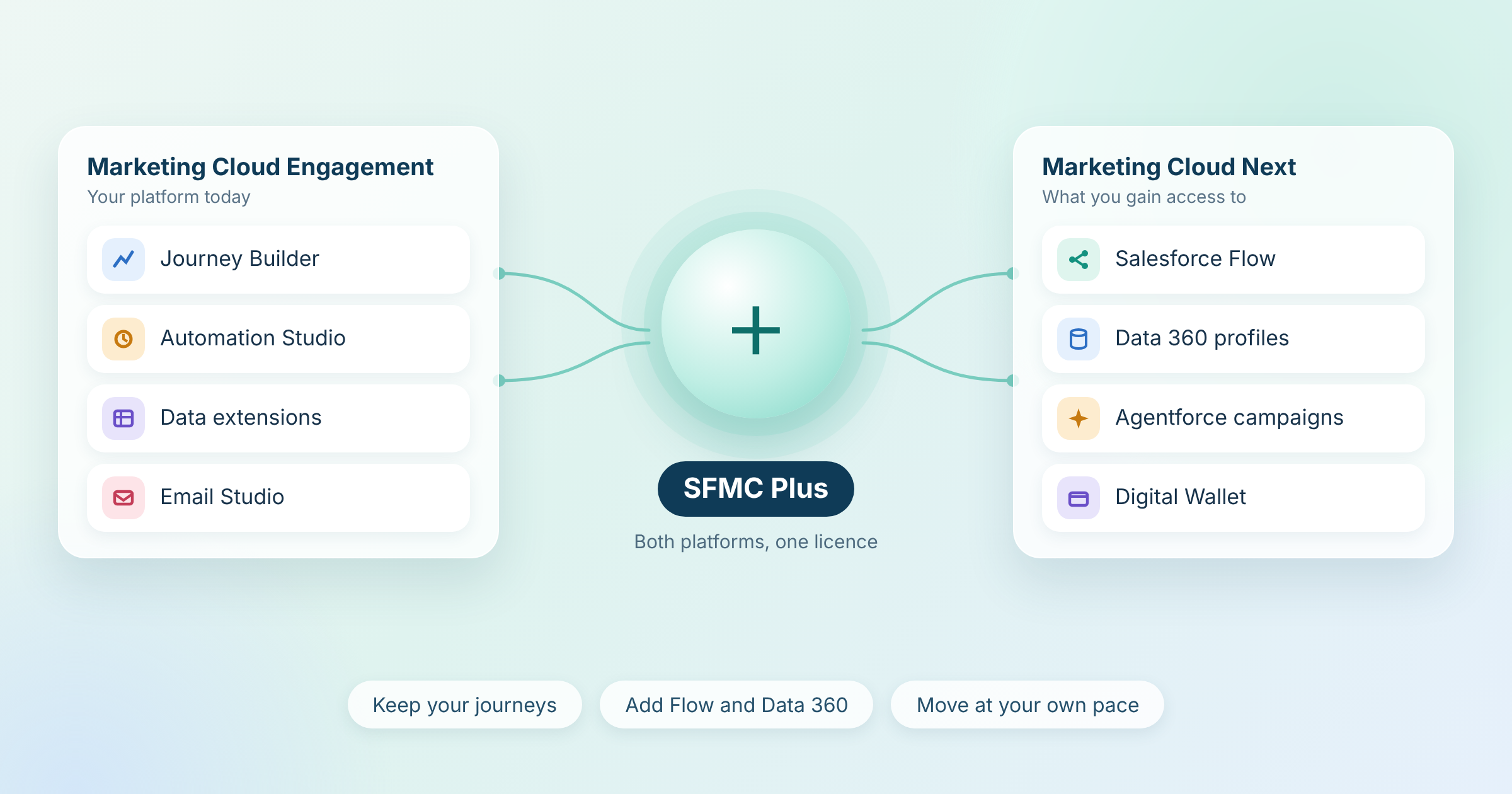
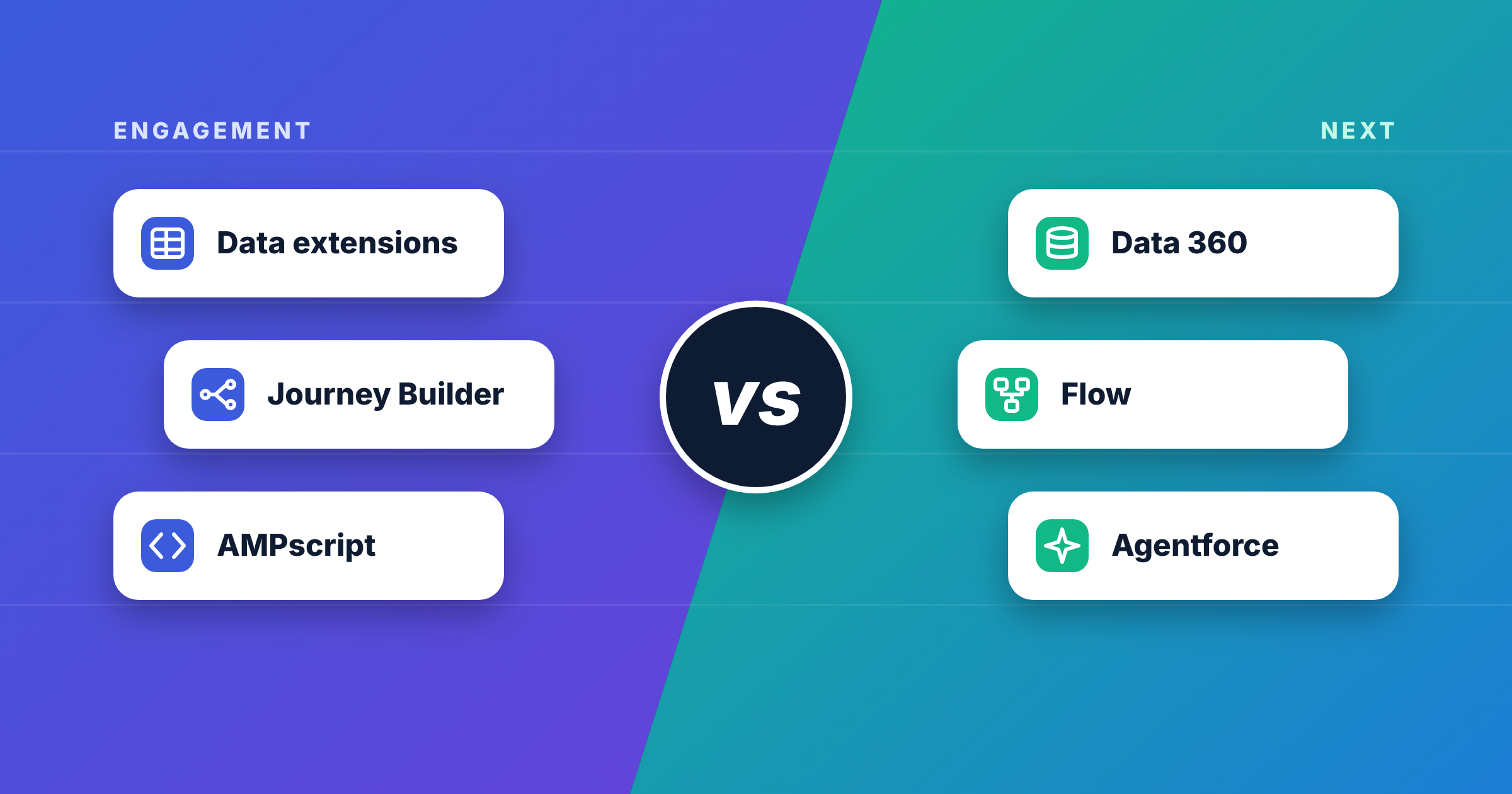
That makes this a timing decision for most teams, not a forced one. For a side-by-side view of the platforms, read Marketing Cloud Next vs Marketing Cloud Engagement. For a way to run both, see SFMC Plus.
Marketing Cloud Next Readiness: Five Areas to Assess
One services firm frames readiness around five dimensions. We have adapted them below. (Mavlers)
| Area | The question | What to look at |
|---|---|---|
| Platform fit | Does Next support what the business relies on? | Your live journeys, automations, segmentation and channels |
| Data foundation | Is your data ready for a Data 360* based model? | Data quality, identifiers, consent data and where definitions live |
| Integrations | How much of the architecture changes? | Every API, connector and third-party dependency |
| People and process | Are roles and approvals ready? | Who builds, who approves, who owns data and governance |
| Cost and timeline | Is the budget realistic? | Licence, consumption, rebuild effort and parallel running |
(Mavlers)
Mavlers advises classifying each workload as migrate, redesign, rebuild or defer. That keeps the discussion concrete. A programme that works well in Engagement may be a good candidate to defer, not move.
Platform Fit and Data Foundation
Two areas decide most outcomes.
Platform fit. List the logic your business depends on, including SQL, AMPscript*, journey splits and integrations, then check each item against what Next supports today. Product coverage is moving quickly. Summer ’26 added AMPscript alongside Handlebars in Next email. (Salesforce Ben) Existing scripts still need review, because the data they read from may be structured differently in Next.
Data foundation. Next reads from Data 360, so the quality of your data affects the quality of results. Mavlers notes that business definitions often live in SQL, segment rules and journey splits, and that concepts such as an “active lead” may need to be defined explicitly. (Mavlers) Our guide to Data Cloud and Marketing Cloud integration explains how the two products connect today.
What Usually Needs Rebuilding, Not Copying
Moving to Next is closer to a rebuild than a copy. Partner guidance describes these areas as the ones that need redesign:
- Email templates: a partner reported in April 2026 that Salesforce had not completed automated tooling to move templates, images and files from Engagement to Next
- AMPscript logic: often re-engineered. The same partner article, published in April 2026, said Next did not support AMPscript, which Summer ’26 has since changed for email
- Automation Studio SQL: recreated as transformations or Flow* logic, because queries do not map cleanly
- Data extension entry sources: rebuilt as segments, with SQL-based criteria rewritten
- Subscription status: mapped to the Next consent model, and the partner warns against assuming direct equivalence
- Cloud Pages and server-side scripts: no clear migration path was described
(Mavlers)
Tooling changes quickly, so treat this as a starting list. Pre-release notes for the Winter ’27 release mention importing data extensions from Engagement into Next, which may reduce one piece of manual work. Features can change before general availability. (RevenueOps)
For background on the Engagement side, see What Is a Data Extension in Salesforce Marketing Cloud? and What Is Salesforce Marketing Cloud Automation Studio?
Where the Effort Concentrates
The same partner groups complexity by how much custom logic an account carries:
- Higher effort: heavy AMPscript use and custom integrations
- Very high effort: server-side JavaScript, custom Cloud Page applications and bespoke IP setups
(Mavlers)
For the most complex accounts, the partner suggests keeping Engagement for deep programmatic work. This is one reason many teams run both platforms for a time.
Phased Moves Beat a Hard Cutover
Both partner sources favour a phased approach. The guidance is consistent:
- Run Engagement and Next in parallel for an extended period
- Start new campaigns in Next while existing journeys keep running
- Keep opt-out status in sync across both systems
- Prove value with a pilot before you scale
- Agree rollback triggers in advance
On timing, Mavlers warns that estimates based only on asset counts tend to be optimistic. Data modelling, integration rebuilds, testing, governance and training take effort too. It describes complex accounts as a multi-quarter programme, and its guidance is not a benchmark for your account. (Mavlers) For cost context, read Salesforce Marketing Cloud Implementation Cost.
Common Misunderstandings
- “Interest means we are ready”: readiness depends on data, integrations, skills and budget
- “AI features guarantee value”: an AI feature does not automatically produce business value (Mavlers)
- “Migration means copying assets”: the data model and orchestration differ, so many assets are redesigned
- “If the connection works, the data works”: working connectivity does not guarantee the data is mapped with the right context
- “We use AMPscript, so we cannot move”: AMPscript support has grown in Next, but existing scripts still need review
- “Everything must move”: some programmes are better left where they are
Several of these sources are services firms with their own assessment offers, so weigh their views alongside Salesforce documentation.
What to Check Before You Change Anything
A short review shapes the whole plan. Look at these areas first:
- Your live journeys, automations and the data extensions behind them
- How much logic sits in SQL, AMPscript and server-side scripts
- Subscriber status, consent history and preference data
- Every integration, API and third-party tool that touches the platform
- The quality of your customer identifiers and data definitions
- Who owns Data 360, who owns Engagement and who approves changes
- Your budget for licences, consumption and parallel running
A structured review also surfaces technical debt before it follows you onto a new platform. See 10 Signs Your Marketing Automation Needs an Audit for the warning signs.
Going Deeper
- Marketing Cloud Next vs Marketing Cloud Engagement
- What Is SFMC Plus? Marketing Cloud Engagement+ Explained
- Data Cloud and Marketing Cloud Integration
- Salesforce Marketing Cloud Migration Guide
- Salesforce Marketing Cloud Implementation Cost
Weighing a move to Marketing Cloud Next? Talk to our team.
Glossary
AMPscript: Salesforce Marketing Cloud’s scripting language for personalising email and landing page content. Support has extended to Marketing Cloud Next email.
Data 360: the current name for Salesforce Data Cloud. It unifies customer data into profiles and is the data layer for Marketing Cloud Next.
Flow: Salesforce’s low-code automation tool. Marketing Cloud Next uses it for campaign and journey orchestration.
Marketing Cloud Engagement: the established Salesforce Marketing Cloud platform, formerly ExactTarget, built around Studios such as Email Studio and builders such as Journey Builder.
Marketing Cloud Next: Salesforce’s newer marketing platform, built natively on the Salesforce platform with Data 360 and Agentforce. Sold in Growth and Advanced editions.