
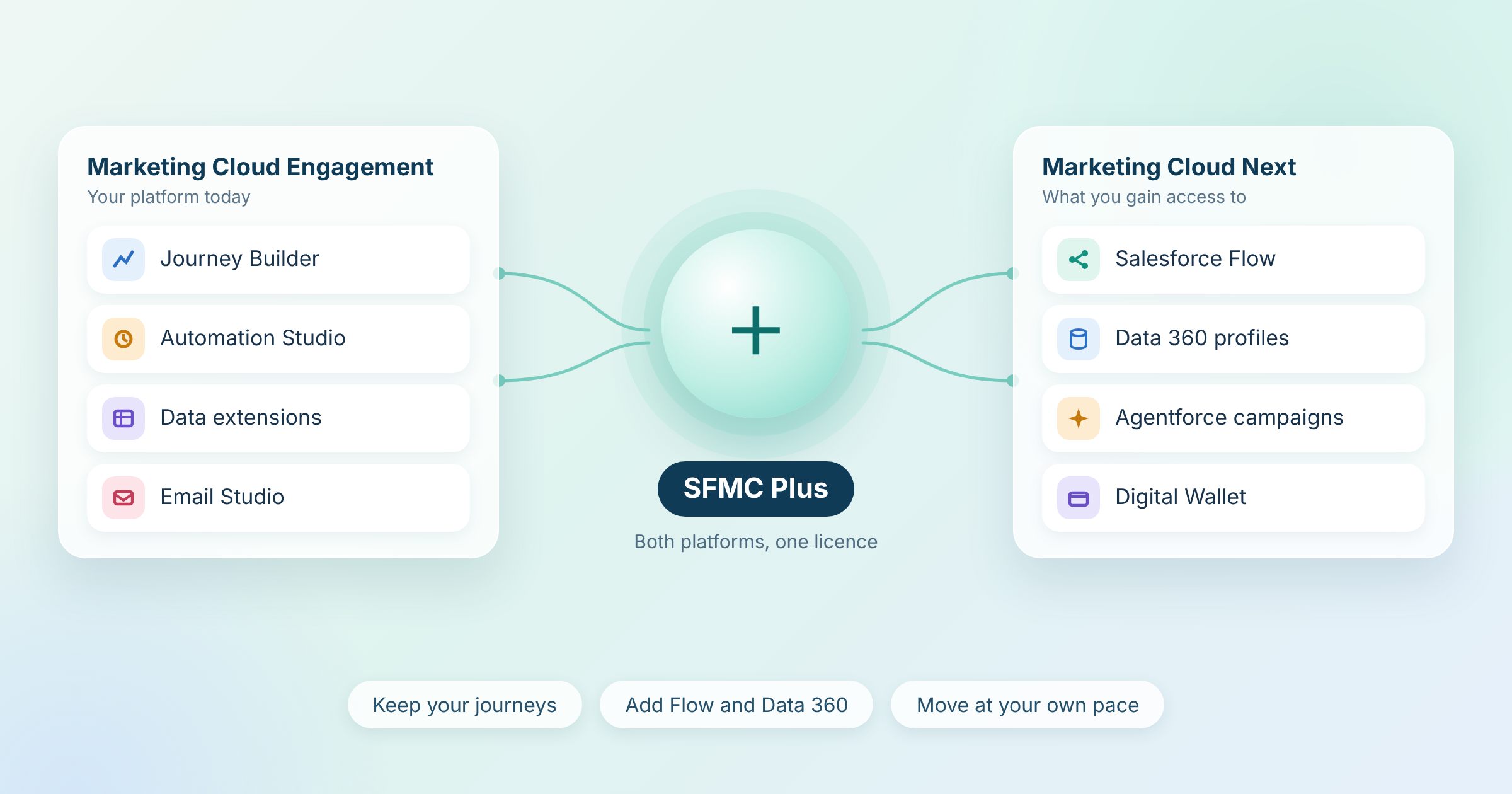
SFMC Plus is the practitioner name for Marketing Cloud Engagement+, an edition that keeps your current Salesforce Marketing Cloud running and adds access to Marketing Cloud Next*. It gives teams a bridge to newer capabilities such as Agentforce* and Flow-based orchestration without forcing a rebuild on day one.
Teams often ask whether SFMC Plus is a migration, an upgrade or a new product. In practice it is a licence that lets both platforms run side by side. This article explains what SFMC Plus includes, what it costs, what it does not do and what to check before you decide. Last reviewed: October 2026.
What Is SFMC Plus?
SFMC Plus is a “+” edition of Marketing Cloud Engagement*. You access it by renewing your current edition as Pro+, Corporate+ or Enterprise+. (Salesforce)
Each “+” edition keeps your existing Engagement account. It also gives you a Marketing Cloud Next edition alongside it. Salesforce states that Engagement has no end-of-life, end-of-sale or end-of-roadmap plans. (Salesforce) As a result, SFMC Plus is a choice rather than a forced move.
A quick naming note: “SFMC Plus” is shorthand. Salesforce’s official name is Marketing Cloud Engagement+. Partner content often uses “MC+”. Marketing Cloud Account Engagement+ is a separate B2B product.
SFMC Plus Editions and Pricing
Each SFMC Plus edition includes a different Marketing Cloud Next edition:
| Edition | Includes | Starting price (USD per org per month, billed annually) | Contacts |
|---|---|---|---|
| Pro+ | Marketing Cloud Growth | $2,000 | 15K |
| Corporate+ | Marketing Cloud Advanced | $5,500 | 45K |
| Enterprise+ | Marketing Cloud Advanced | $30,000 | 500K |
Included features and message volumes also differ by edition, so compare them on the pricing page before you choose. Prices vary by region and Salesforce can change them. For example, the UK page lists £1,600, £4,400 and £24,000 for the same three editions. (Salesforce UK) Salesforce describes pricing as indicative and asks buyers to speak to a sales representative, so treat these figures as a starting point.
Costs Beyond the Licence
The edition price is only one line in the budget. Marketing Cloud Next uses consumption pricing for several items. Salesforce’s Marketing Cloud Next pricing page lists these examples:
- Data 360 profiles: priced from $240 per 1,000 profiles
- Email, SMS and WhatsApp credits: priced per 1,000 credits, with SMS also needing a code to be set up or leased
- Flex Credits: used for Agentforce interactions
- Additional Business Units: priced per extra Business Unit in the Advanced edition
Digital Wallet* shows credit consumption inside Marketing Cloud Next. Sending messages, activating audience segments, storing data and making Einstein requests all consume credits. (Salesforce Ben) Ask your Salesforce account team how your existing contract converts when you renew as a “+” edition, because that detail is not public.
For the wider budget picture, read Salesforce Marketing Cloud Implementation Cost.
How SFMC Plus Differs from Classic SFMC
Marketing Cloud Engagement and Marketing Cloud Next run on different architectures. That difference explains why Salesforce offers a bridge edition.
| Area | Marketing Cloud Engagement | Marketing Cloud Next |
|---|---|---|
| Architecture | ExactTarget-based platform, separate from core Salesforce | Built natively on the Salesforce platform |
| Data model | Data extensions* with batch syncs | Unified profiles in Data 360* |
| Orchestration | Journey Builder | Salesforce Flow* |
| AI | Einstein features | Agentforce agents |
| Personalisation | Marketing Cloud Personalization (separate product) | Native real-time decisioning on Data 360 |
Read this table as a direction of travel, not a like-for-like swap. During a transition both columns exist at once, and several Engagement tools have no direct equivalent in Next yet (see the verification section below).
In practice, this means two different skill sets. Engagement relies on SQL, AMPscript* and data extensions. Next relies on Flow and Data 360. Mavlers describes the shift from AMPscript to low-code Flow as a real skills transition. (Mavlers)
What SFMC Plus Adds to Marketing Cloud Engagement
A “+” edition adds these capabilities on top of your current account, according to Salesforce’s pricing pages:
- Agentforce Campaign Creation: build campaigns, audiences and content from natural language instructions
- Flow-based orchestration: connect journeys across departments using Salesforce Flow and real-time data
- Cross-journey orchestration: link journeys based on behaviour or goals
- Digital Wallet*: track messaging credits across email, SMS and WhatsApp
- Campaign planning and insights: plan campaigns, collaborate across teams and review built-in dashboards
- Smarter segmentation: build audiences with drag-and-drop tools or natural language prompts
- Two-way conversations: run conversational experiences over SMS and WhatsApp
(Salesforce UK) (Salesforce Australia)
Availability varies by edition, so check entitlements before you plan around any single feature.
Recent releases extend the bridge. Summer ’26 added consent mapping from Engagement subscriber and publication lists to Communication Subscriptions in Next. It also lets you reuse Engagement SMS short codes and long codes (US and Canada) in Next. (SFMC Tips)
How the Bridge Between Engagement and Next Works
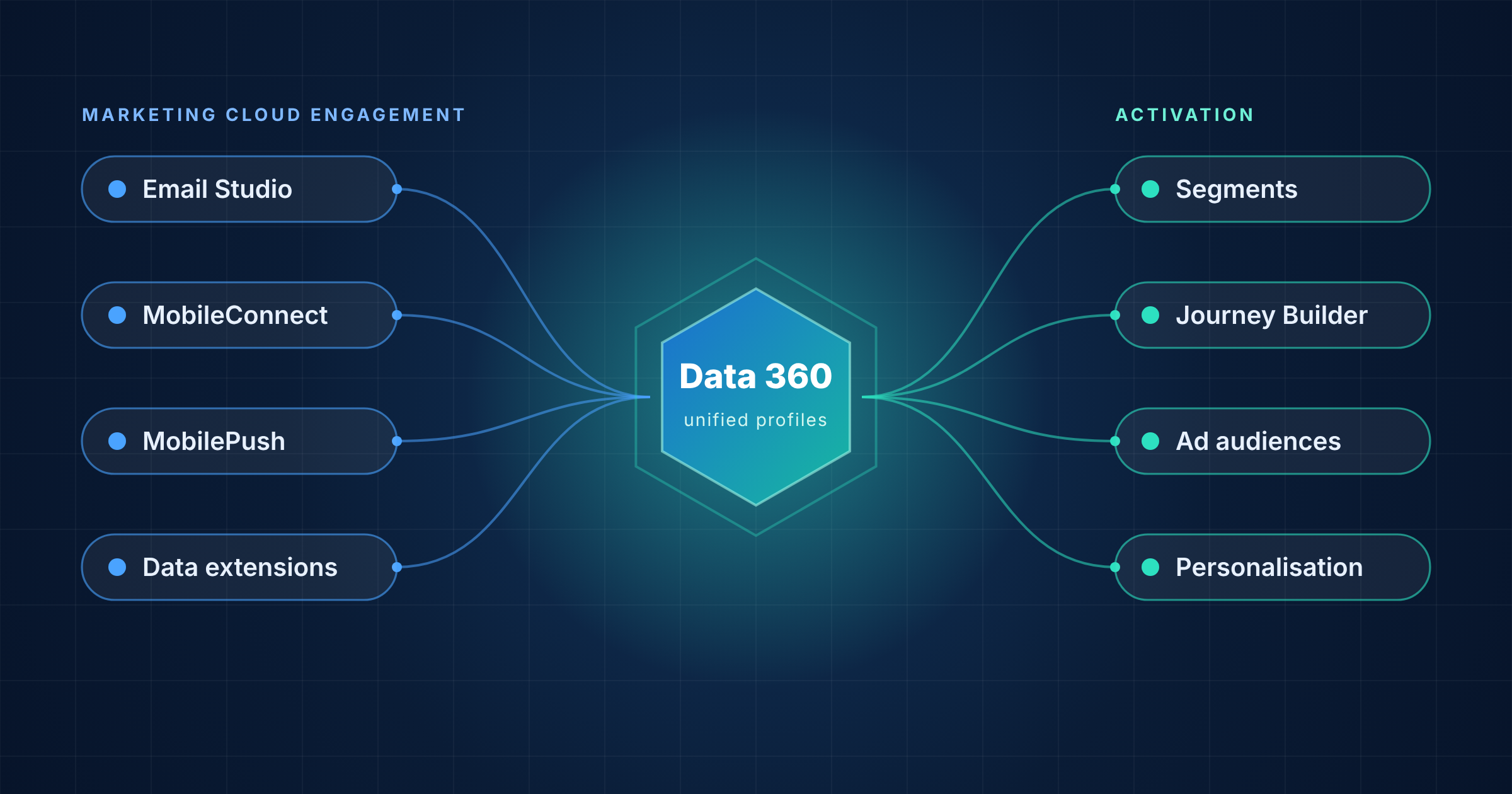
The connection between the two platforms runs through Data 360. Engagement is registered as a data source and as an activation target. (SFMC Tips)
Salesforce’s documentation for the Engagement connection describes a few points that shape planning:
- You choose the Business Units: you select which ones feed data in and which ones receive activations
- History loads on connect: Data 360 pulls 90 days of historical data for each newly selected Business Unit
- Roles and users matter: a dedicated API user and admin roles are required on both sides
- Account type matters: only Engagement Enterprise 2.0 account connections are supported
Mavlers notes that existing journeys can also be invoked from Marketing Cloud Next flows, so they keep running while new campaigns are built natively. (Mavlers) Setup involves several dependent steps, and the right design depends on your data. This is an area where an experienced partner saves time.
What Stays the Same in Marketing Cloud Engagement
Salesforce says you keep everything you use today. That includes your current journeys, content and campaigns. (Salesforce)
Journey Builder, Automation Studio and your data extensions continue to run in Engagement. As a result, your live programmes do not need a rebuild on day one.
What SFMC Plus Does Not Do
SFMC Plus gives you access. It does not do the transition work for you. Four limits matter most:
- It does not migrate your content: as of early 2026, Salesforce had not released automated tooling for moving email templates, images and files into Next. Teams rebuild them manually. Check the current status with Salesforce before you plan. (Mavlers)
- It does not copy the architecture: Next has no data extensions to look up. AMPscript support reached Next email in Summer ’26. Coverage is still expanding to other channels. However, logic that reads from data extensions still needs redesign. (Blueport)
- It does not remove the data requirement: Next uses Data 360 as its data layer. Fragmented or low quality data limits what the new features can deliver.
- It does not give you one platform: most teams run Engagement and Next in parallel for a period. Plan ownership, governance and skills for both.
What to Verify in Marketing Cloud Next Before You Commit
Some Engagement capabilities do not map cleanly into Next. Partner guidance flags these areas in particular:
- Automation Studio activities: SQL queries, file imports and data extracts do not map cleanly and usually need rebuilding with Data 360 transformations or Flow
- SQL-based audiences: entry sources built on SQL need rewriting as segment criteria
- CloudPages applications: custom, code-heavy pages may stay in Engagement for the long term
- Data extensions: these need mapping to the Data 360 data model
(Mavlers)
Confirm the current status of each item with Salesforce, because releases change the picture every quarter. Also check edition limits. For example, the pricing page suggests that some features differ between Pro+ and the higher editions.
SFMC Plus Transition Patterns
Most teams avoid a big-bang move. Mavlers discourages a lift-and-shift of the whole Engagement estate at once. Instead, teams let existing programmes run and build new work in Next. (Mavlers)
Three patterns appear most often:
- Bridge: orchestrate in Marketing Cloud Next and keep sends and journeys running in Engagement
- Greenfield: launch the next brand, region or business unit natively on Marketing Cloud Next
- Parallel run: keep current programmes in Engagement while you build new capability in Next
The right pattern depends on your data, your integrations and your team. There is no default answer.
Is SFMC Plus Right for Your Team?
SFMC Plus is a good fit if:
- You already run Salesforce CRM or Data 360 and want marketing connected to it
- You plan to launch a new brand or region
- You want to test Agentforce on real campaigns
- Your team can build Flow and Data 360 skills
- Your budget covers consumption costs as well as the licence
Waiting may be better if:
- Your Engagement setup is heavy on SQL, AMPscript and CloudPages
- Your team has no capacity for a second skill set
- Your data quality needs work first
- Your budget does not cover the licence plus partner support
Waiting is also a decision. Salesforce publishes no end date for Engagement. However, the Summer ’26 release added only one item for Engagement (Model Context Protocol support), while Next received AMPscript and other upgrades. Some analysts read that as a sign of where investment is going. (Blueport) Treat that as an interpretation, not an announcement.
What to Check Before You Move to SFMC Plus
A short review shapes the whole plan. Look at these areas first:
- Active journeys and the automations that feed them
- Data extensions and the AMPscript that reads from them
- Integrations and API connections, including Marketing Cloud Connect
- Business Unit structure and user roles
- Sender authentication, domains and dedicated IPs
- Consent and subscription data
- Regional data requirements, such as the Einstein changes in Australia, Japan and Canada (SFMC Tips)
These areas mirror the source audit that migration partners run first. (Mavlers) The answers decide your pattern, your timeline and your budget.
A structured review also surfaces technical debt before it follows you into Next. See 10 Signs Your Marketing Automation Needs an Audit for the warning signs.
Going Deeper
- What Is Salesforce Marketing Cloud?
- What Is Salesforce Agentforce and What Can It Do?
- What Is a Data Extension in Salesforce Marketing Cloud?
- What Is Salesforce Marketing Cloud Automation Studio?
- Salesforce Marketing Cloud Integrations: 7 Essential Connections
Weighing SFMC Plus for your Marketing Cloud setup? Talk to our team.
Glossary
Agentforce: Salesforce’s autonomous AI agent platform. In marketing, Agentforce agents can create campaigns, build audiences and draft content from natural language instructions.
AMPscript: Salesforce Marketing Cloud’s proprietary scripting language used to personalise email and landing page content. Support reached Marketing Cloud Next email in Summer ’26.
Data 360: the current name for Salesforce Data Cloud. It unifies customer data from multiple sources into a single profile and acts as the data layer for Marketing Cloud Next.
Data extension: a table in Marketing Cloud Engagement that stores subscriber or campaign data. Marketing Cloud Next does not use data extensions.
Digital Wallet: a feature that tracks and manages messaging credits across email, SMS and WhatsApp in a “+” edition.
Marketing Cloud Engagement: the classic Salesforce Marketing Cloud platform, formerly ExactTarget. Salesforce publishes no end-of-life plans for it.
Marketing Cloud Next: Salesforce’s newer marketing platform, built natively on the Salesforce platform with Data 360 and Agentforce. Available in Growth and Advanced editions.
Salesforce Flow: Salesforce’s low-code automation tool. Marketing Cloud Next uses Flow for journey orchestration instead of Journey Builder.