
Data Cloud and Marketing Cloud integration is a growing topic for Salesforce marketing teams. Salesforce now calls Data Cloud “Data 360”, and it positions the product as the data layer behind its newer marketing platform. Many teams still run Marketing Cloud Engagement*, so they want to know how the two connect.
This guide explains what data flows in each direction, what the connection needs and what to check before you start. It describes what to look at, not how to configure it. Last reviewed: October 2026.
Data Cloud and Marketing Cloud Integration: What Is Data 360?
Data 360* is the current name for Salesforce Data Cloud. Salesforce describes the change as “same product, same capabilities, new name”, and says existing contracts are honoured through their current term. (Salesforce)
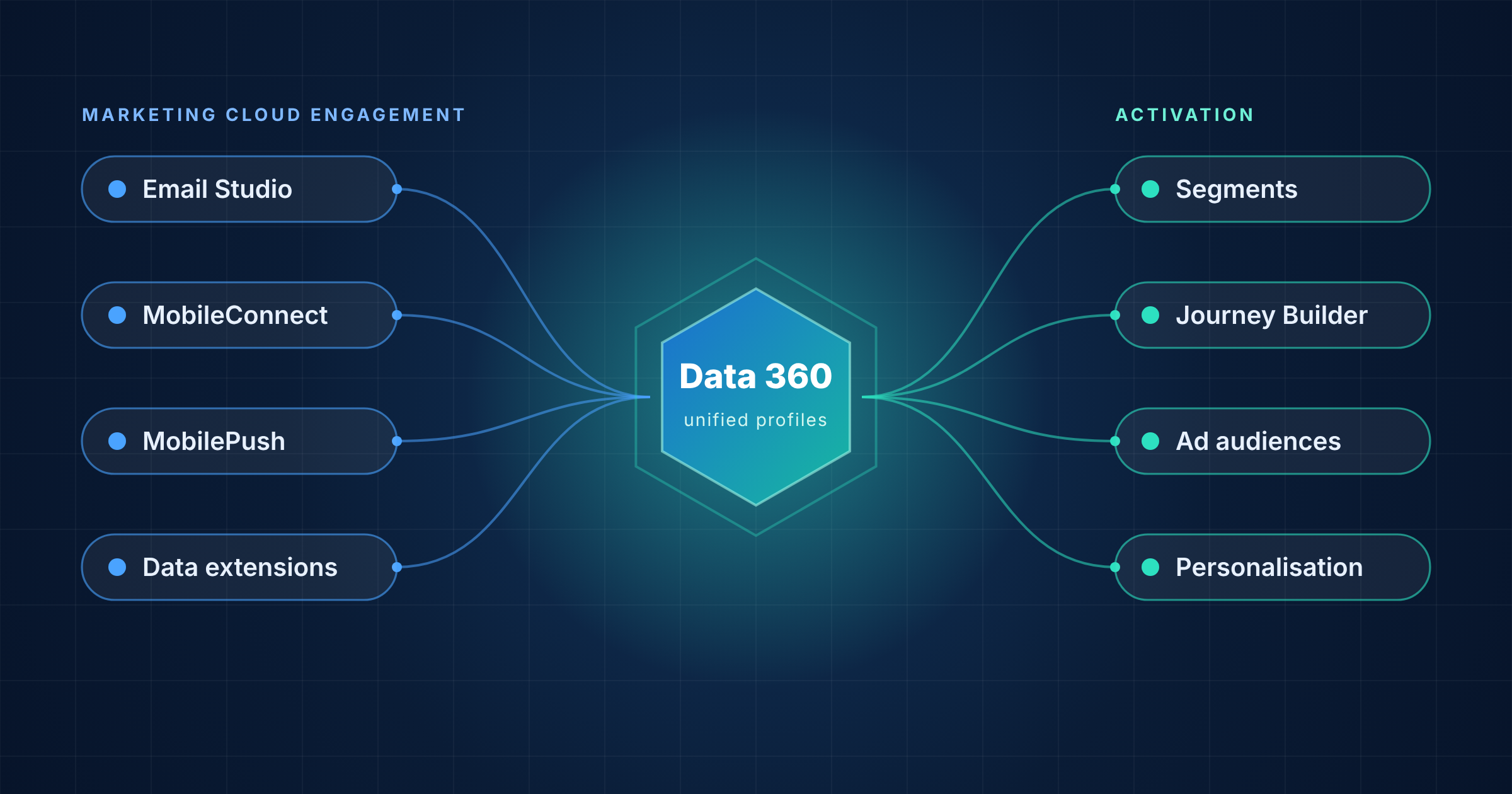
Data 360 gathers customer data from many sources and merges it into unified profiles. How it relates to Marketing Cloud depends on the platform:
- Marketing Cloud Next: Salesforce says Next runs natively on Data 360 as a single product
- Marketing Cloud Engagement: Engagement stays a separate platform and connects to Data 360 through a connector
If you are weighing the two platforms, read Marketing Cloud Next vs Marketing Cloud Engagement.
Two Directions of Data Flow
The connection works in two directions, and each has a different purpose.
| Direction | What happens | Typical purpose |
|---|---|---|
| Engagement to Data 360 | Engagement data is ingested into Data 360 | Combine email, mobile and subscriber data with other sources in unified profiles |
| Data 360 to Engagement | Audiences and attributes are activated into Engagement | Use unified data for segmentation, journey decisions and personalisation |
Many teams use only one direction at first. Decide which one solves your problem before you design anything.
What Flows from Engagement into Data 360
Salesforce documents two ways to bring Engagement data into Data 360:
- Starter data bundles: ready-made sets for Email Studio, MobileConnect, MobilePush and WhatsApp, with objects mapped automatically
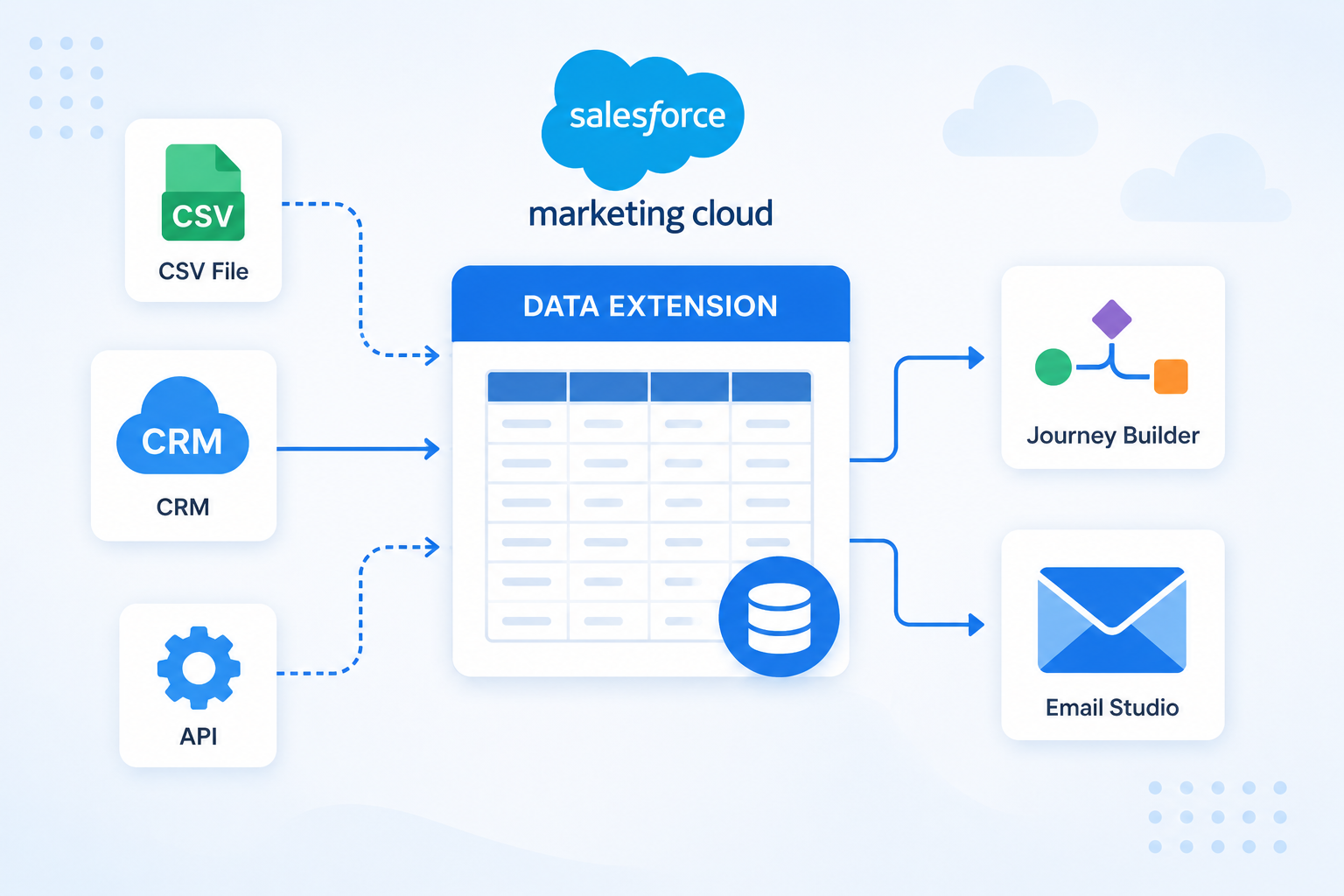
- Data extensions*: Data 360 suggests a schema, and your team confirms and maps it manually
Salesforce also documents some limits worth knowing early:
- A 90 day limit: Engagement data ingestion is limited to 90 days
- No formula fields: Data 360 does not support formula fields for most Engagement data streams
- Empty values change: NULL values convert to empty strings
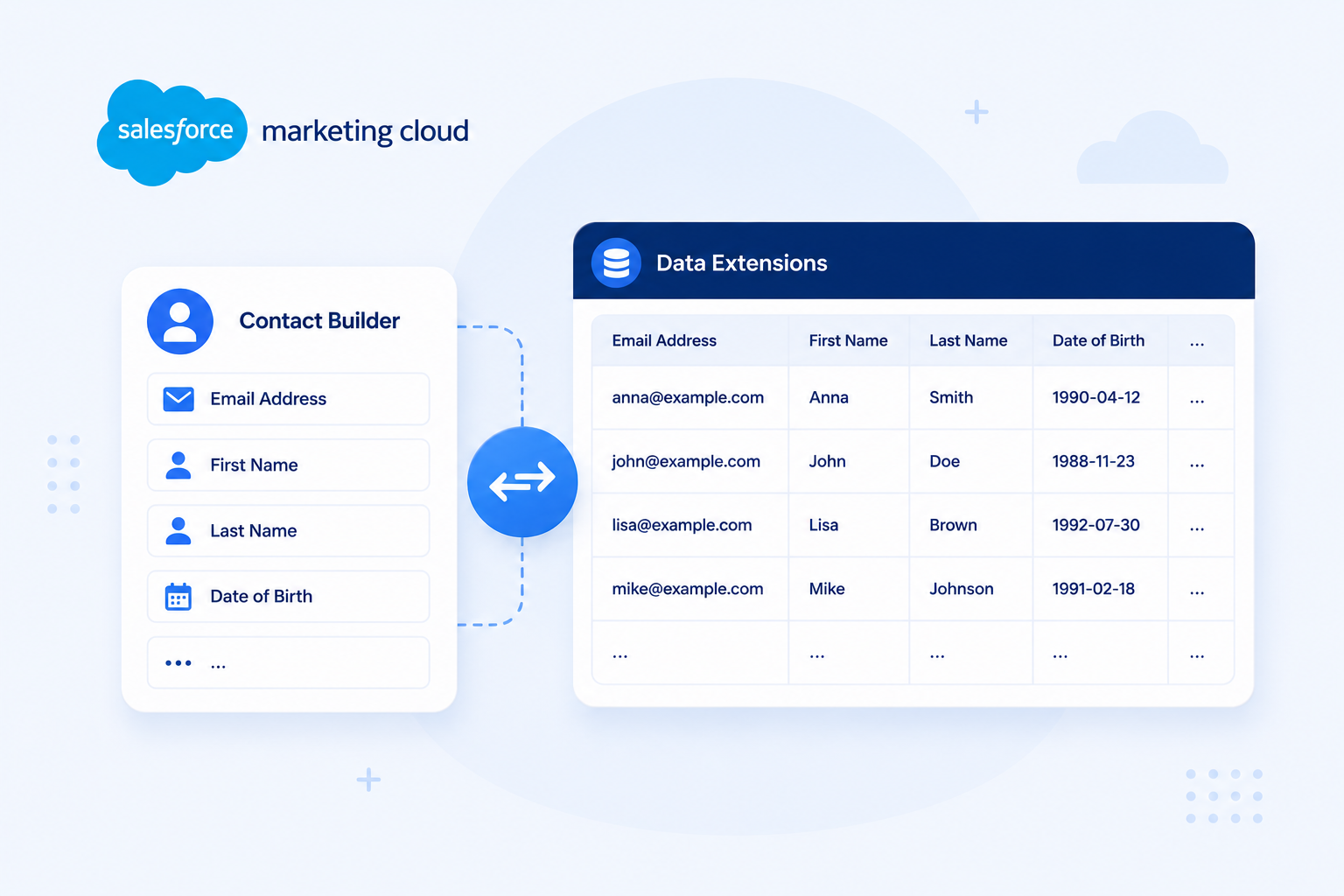
For background on the data you would send, see What Is a Data Extension in Salesforce Marketing Cloud?
What Flows from Data 360 into Engagement
In the other direction, you create activations* in Data 360 for the audiences you want in Engagement. A “data foundation” then links that data to the Engagement Contact Model*. Journey Builder can use it for decisions, waits, exits and content personalisation. (Salesforce Help)
Salesforce is clear that not every programme needs this. Batch sends, transactional messages and journeys that do not use the Contact Model for decision splits do not need a data foundation. (Salesforce Help)
For a wider view of Data Cloud next to other connections, see Salesforce Marketing Cloud Integrations: 7 Essential Connections. To understand the model this connects to, read Contact Builder vs Data Extensions in SFMC.
What Data 360 Can Add
Salesforce lists these Data 360 capabilities on its Marketing Cloud and Data 360 page:
- Identity resolution*: merging records across devices and channels into one profile
- Consent enforcement: applying consent and usage policies across activations
- Predictive scores: for example propensity to buy and customer lifetime value
- Zero Copy access: reading data from Snowflake, Databricks and Google BigQuery without moving it
- Audience activation: pushing first-party audiences to Google, Meta, Amazon Ads, LinkedIn and The Trade Desk
One caution: Salesforce’s page describes Marketing Cloud Next and does not say which of these apply to Engagement. Confirm each capability against your own edition and contract before you plan around it.
Requirements and Limits to Know
Salesforce’s documentation lists several conditions for the Engagement connection:
- Account type: only Engagement Enterprise 2.0 account connections are supported
- Enterprise ID: the Engagement user’s default Business Unit must be set to the Enterprise ID*
- Multiple accounts: several Enterprise IDs can connect to one Data 360 org, each with its own mapping to data spaces
- Permissions: specific roles are needed in both Data 360 and Engagement
- Skills: your team needs to understand activations in Data 360 and the Contact Model in Engagement
(Salesforce Help) (Salesforce Help)
Salesforce also notes that “data modeling and initial setup still require investment”. Cost matters too. Data 360 is priced on consumption, and Salesforce’s Marketing Cloud Next pricing page lists Data 360 profiles from $240 per 1,000. (Salesforce) Ask your account team how this applies to your contract.
Common Misunderstandings
- “Data 360 is the same as Marketing Cloud Connect”: they are different integrations. Marketing Cloud Connect links Engagement with Sales and Service Cloud, and the Data 360 connection is set up separately. See Marketing Cloud Connect Explained
- “Connecting creates a unified customer view”: the link only moves data. Accurate mapping, identity resolution, reliable syncs and governance decide whether the view is trustworthy (Grazitti)
- “Everything becomes real time”: Salesforce describes real-time audiences in the context of Next. Engagement ingestion uses upsert or full refresh modes, so check timing for your own use case
- “Every campaign needs it”: as covered above, many programmes do not
Is It Right for Your Team?
Connecting is a good fit if:
- Customer data sits in several systems and you want one view
- You want to use CRM or web behaviour in Journey Builder decisions
- You plan to move towards Marketing Cloud Next over time
- You already license Data 360 or plan to
Waiting may be better if:
- Your current programmes run well on data extensions alone
- Your data quality needs work first
- Your team has no capacity for another data layer
- You cannot yet estimate the consumption costs
The connection is also a common first step for teams using SFMC Plus, because the bridge between Engagement and Next runs through Data 360.
What to Check Before You Connect
A short review shapes the whole plan. Look at these areas first:
- Which use case needs the data, and in which direction
- Which Business Units and data extensions are involved
- How your subscriber key lines up with other customer identifiers
- Consent and subscription data across systems
- Who owns Data 360 and who owns Engagement
- Budget for consumption as well as licences
A structured review also surfaces data problems before they spread. See 10 Signs Your Marketing Automation Needs an Audit for the warning signs.
Going Deeper
- What Is Salesforce Marketing Cloud?
- What Is SFMC Plus? Marketing Cloud Engagement+ Explained
- Marketing Cloud Next vs Marketing Cloud Engagement
- Marketing Cloud Connect Explained
- Salesforce Marketing Cloud Integrations: 7 Essential Connections
Considering connecting Data 360 to your Marketing Cloud setup? Talk to our team.
Glossary
Activation: the process of sending a segment from Data 360 to a destination such as Marketing Cloud Engagement or an advertising platform.
Contact Model: the structure in Marketing Cloud Engagement, built in Contact Builder, that links data extensions to contacts. A data foundation connects Data 360 data to this model.
Data 360: the current name for Salesforce Data Cloud. It unifies customer data from multiple sources into a single profile and acts as the data layer for Marketing Cloud Next.
Data extension: a table in Marketing Cloud Engagement that stores subscriber or campaign data. Data 360 can ingest data extensions through a manually confirmed schema.
Enterprise ID: the identifier of the top level of a Marketing Cloud Engagement account. The Engagement user’s default Business Unit must be set to it before connecting to Data 360.
Identity resolution: the process of matching and merging records that belong to the same person into a single unified profile.
Marketing Cloud Engagement: the established Salesforce Marketing Cloud platform, formerly ExactTarget, built around Studios such as Email Studio and builders such as Journey Builder.